

• New
Vgate VLinker FS Forscan Arıza Tespit Cihazı

Vgate VLinker FS Forscan Arıza Tespit Cihazı

$60.00

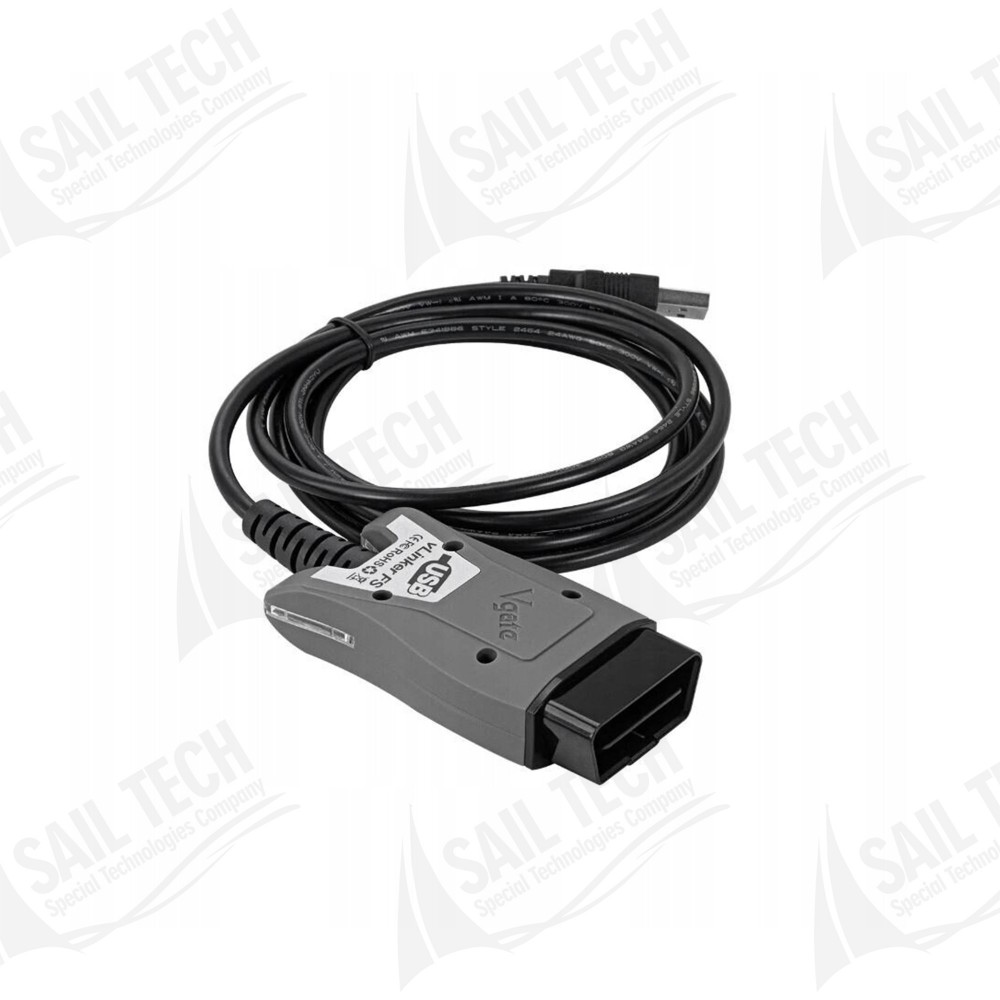
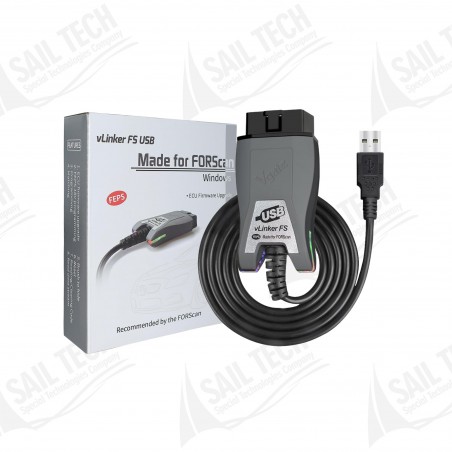
Vgate vLinker FS is a professional USB OBD2 diagnostic interface developed for use with FORScan software on Ford vehicles. It provides access to electronic control units and supports fault code reading and clearing, live data analysis, module tests, service functions, adaptations, and supported coding procedures.

Quantity

International Shipping (We ship Worldwide)

Delivery: Delivery Within 3-5 Days:

Shipping Carriers:

dhl kargoFedEx

  • Secure Payment Secure Payment
  • Fast Delivery Fast Delivery
  • Easy Returns Easy Returns
  • Satisfied Customer Satisfied Customer
FORSCAN COMPATIBLE FORD DIAGNOSTIC INTERFACE

Vgate vLinker FS FORScan Diagnostic Tool

Vgate vLinker FS is a professional USB OBD2 diagnostic interface developed for use with FORScan software on Ford vehicles. It provides access to electronic control units and supports fault code reading and clearing, live data analysis, module tests, service functions, adaptations, and supported coding procedures.

Advanced Diagnostic Access for Ford Vehicles

vLinker FS goes beyond the basic engine diagnostics offered by standard OBD2 devices by providing access to multiple electronic modules on FORScan-supported Ford vehicles.

Connection
USB wired connection
Software
FORScan
CAN Support
Automatic HS-CAN / MS-CAN switching
FEPS
18V programming support
Application
Ford-focused diagnostics, service, and configuration procedures

Key Features

Full Compatibility with FORScan
Provides access to advanced diagnostic functions on Ford vehicles through FORScan software.
Automatic HS-CAN / MS-CAN Switching
Automatically switches between CAN networks without requiring the manual CAN switch found on older adapters.
Stable USB Connection
Provides direct wired communication that helps reduce delays or disconnections associated with wireless connections.
FEPS 18V Support
Features hardware capable of supplying the FEPS programming voltage used by supported Ford modules.

FORScan Diagnostic Functions

Depending on FORScan software capabilities and vehicle support, the following diagnostic and service procedures may be available.

01 Read Diagnostic Trouble Codes
02 Clear Diagnostic Trouble Codes
03 Live Data / PID Monitoring
04 Freeze Frame Data
05 Read ECU and Module Information
06 Actuator Tests
07 Module Tests
08 Service Functions
09 Service Maintenance Resets
10 Injector Coding
11 Battery Management Procedures
12 Adaptation Procedures
13 Module Configuration
14 Supported Programming Procedures
AUTOMATIC CAN NETWORK MANAGEMENT

No Manual HS-CAN / MS-CAN Switch Required

Different electronic control units in Ford vehicles may operate on different communication networks such as HS-CAN and MS-CAN. When used with FORScan, vLinker FS automatically selects the required CAN network. This eliminates the need to repeatedly change a physical switch on the adapter.

What are the advantages?
• Less user intervention during diagnostic scanning
• Reduced risk of selecting the wrong CAN position
• Easier switching between modules
• More convenient workshop use

FEPS 18V Programming Support

Some Ford control units may require a dedicated programming voltage in addition to standard OBD communication during programming or configuration procedures. Thanks to its FEPS 18V support, vLinker FS provides the required hardware capability for these procedures.

Note: FEPS availability may vary depending on the vehicle control unit, model year, and the type of procedure supported by FORScan.

Accessible Vehicle Systems

Depending on the vehicle model and equipment level, FORScan can provide access to numerous electronic control units.

PCM
Powertrain Control Module
TCM
Transmission Control Module
ABS
Anti-Lock Braking System
RCM
Restraints Control Module / Airbag System
BCM
Body Control Module
IPC
Instrument Panel Cluster
APIM
Multimedia / SYNC System
Other Modules
Depending on vehicle equipment

How to Use

1. Install FORScan Software
Install the appropriate version of FORScan on your computer.
2. Connect the Device to the OBD2 Port
Connect the vLinker FS to the vehicle's diagnostic port.
3. Connect the USB Cable
Connect the USB cable to your computer.
4. Connect to the Vehicle with FORScan
Allow the software to establish communication with the vehicle and scan the available control modules.
5. Perform Diagnostic Procedures
Access DTC, PID, test, service, and supported configuration functions.

Vehicle Compatibility

Ford
Lincoln
Mercury
Mazda
FORScan-supported models
FORScan License Information

vLinker FS works with the independently developed FORScan software. Fault code reading, live data monitoring, and certain basic diagnostic functions may be available with standard FORScan use. Some module configuration procedures, service functions, and advanced operations may require a FORScan Extended License.

The Right Diagnostic Interface for FORScan on Ford Vehicles

Vgate vLinker FS is a professional diagnostic interface designed for users who want comprehensive access to Ford vehicle electronic systems through FORScan. With its USB connection, automatic HS-CAN / MS-CAN switching, FEPS 18V support, and Ford-focused diagnostic architecture, it provides a wide range of capabilities from everyday fault diagnostics to advanced service and configuration procedures.

PRO1958

Specific References

Reviews

No customer reviews for the moment.

Write your review

Vgate VLinker FS Forscan Arıza Tespit Cihazı

Vgate vLinker FS is a professional USB OBD2 diagnostic interface developed for use with FORScan software on Ford vehicles. It provides access to electronic control units and supports fault code reading and clearing, live data analysis, module tests, service functions, adaptations, and supported coding procedures.